▸ SYS 010% OS · untuned
Rover drive
3D Differential-drive rover · N20 motors · speed loop · ramp
- ▸ Both wheels get the same voltage (driving straight).
- ▸ Wheels roll without slipping.
Type it, say it or film it. Meta's Muse models design the machine from real, buyable parts, physics puts it through the job, and you leave with the parts list, the wiring and the firmware.All before you buy a single motor.
Built with
Overshoot
7.1%
Settling time
0.393 s
Phase margin
71.1°
INTRODUCING HARDWARE STUDIO
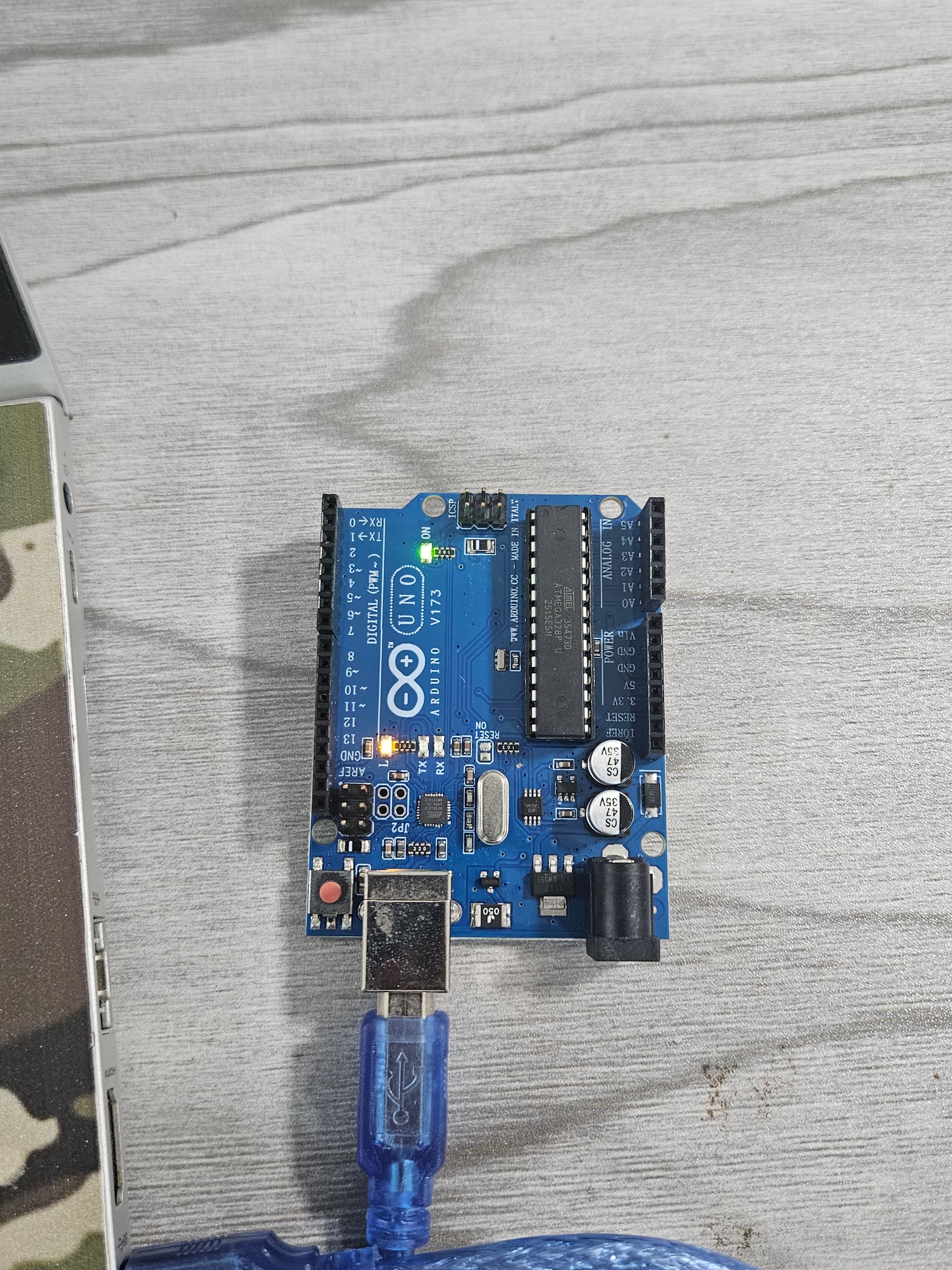
Take an idea all the way to an Arduino Uno. Edit with Muse Spark or Wonder, build the firmware, and upload straight from your browser.
No Arduino IDE for visitors
Guided kit recipes and pin-by-pin wiring
USB upload with flash readback verification
Uno R3 · desktop Chrome / Edge · USB permission required.
Custom builds require the hosted compiler. Heartbeat demo is bundled.
·· The stack
A controller is a loop: sense, think, check, act, repeat. RoboCraft gives each step to the model that does it best, and nothing the AI says reaches your robot until the physics engine has checked it.
SAM 3.1
Meta · sam-3.1
Tracks your real robot frame by frame in a video and lays its path over the simulation, so you see where the two disagree.
Muse Spark · vision
Meta · muse-spark-1.3
Reads a video of a real robot or its workspace: the robot, its moving parts, every object and its size. Then builds it in 3D.
Muse Spark 1.3
Meta · muse-spark-1.3
Designs the whole robot, its room and its task from a sentence, revises it on request, and explains every simulation. The default.
Muse Wonder
Meta · muse-wonder-1.0
Deeper reasoning when you choose it, and the engineering agent: it simulates, diagnoses and revises until the physics passes.
PlantSim engine
RoboCraft · C++17 → WebAssembly
Our physics engine. Every AI suggestion is simulated and must pass the specs before you ever see it.
Firmware generator
RoboCraft · Arduino · ESP32
Writes the controller with the verified gains, ready to flash onto your robot.
·· The loop
01 · Type it, say it, or upload data
·· Systems
·· Verifiable agent
This is a real run, not a mock-up. The model on the right is exactly what Muse Spark returned on a live call. The checks and the fix are being computed right now, in your browser, by the same C++/WebAssembly engine the lab uses.
Muse Spark's first try pass
Accepted as-is pass
·· The engine
PlantSim is a dependency-free C++17 engine. The same source compiles natively for the test suite and to WebAssembly for the browser, so what you tune is what was tested.
4th-order Runge-Kutta
Fixed step, zero-order hold
Transfer function → state space
Up to 8 states, dead time
PID · filtered D · anti-windup
LQR state feedback
Closed-loop poles (Aberth)
Bode, gain & phase margins
FOPDT / second-order fit
Nelder-Mead on step data
Actuator saturation
Sensor noise · load steps
·· Validation
These tests run right now, in your browser, on the engine you'll use. The same checks run natively against the C++ build, and a golden-data test proves the browser and native engines agree to 1e-9.
·· Pricing
The free lab is funded by sponsored parts: suppliers can place a part in a generated parts list, always labelled “Sponsored”, and only if it fits your robot's physics.
Free
$0forever
Everything you need to build and simulate your first robot.
Classroom
$49per month · 30 seats
Robotics and control lessons where every answer is checked by physics.
·· Build log
Everything on this page was built for the Meta Global AI Developer Hackathon, October 27 to November 4, 2026. Nothing predates it, and every step is a public commit.
Read the commit history ↗Oct 27
The Control Lab and its engine
A C++17 physics and control engine compiled to WebAssembly, robots built from real parts, and firmware generated for the board.
Oct 28
Muse Spark goes live
The lab's AI moves to Meta Muse Spark, behind a credit-safe client: response cache, cost log, daily cap. Onboarding and Simple mode for beginners.
Oct 28
Video to model
SAM 3.1 tracks a real robot frame by frame in a video, and the engine fits its physics from the motion.
Oct 29
Only real, buyable parts
Every machine is built from datasheet-rated parts, every actuator simulated and wired, with hardware fit checks. In English, 日本語 and 中文.
Oct 29
Create: a robot from a sentence
Muse Spark designs the body, joints, room and task; Rapier physics and cloth run it; one click opens it in the Control Lab with real hardware inside.
Oct 30
A welcome for newcomers
Robo's welcome, four ready-made robots that open instantly, and a guided studio tour.
Oct 31
The engineering agent
Muse Wonder (or Spark) runs a closed loop of tool calls: simulate, diagnose, revise, until the physics passes. Users choose Spark or Wonder for every design.
Nov 1
Physics you can trust
Hands hold only what they touch, arms keep out of the body and the furniture, every step is judged by its real outcome, and a video of a real robot becomes a 3D design.
Prefer a head start?
Open a ready-built arm or rover in the Control Lab. Swap any part and watch the motors, the circuit and the firmware follow.
3-axis arm
Inverse kinematics, torque sizing, servo rail
Rover
Drive-force budget, H-bridge matching, runtime